The Quiet Revolution in Media Downloading: Faster, Safer, and Simpler
The days of downloading media through traditional peer-to-peer (P2P) file sharing are fading. Today, the “state of the art” for accessing and downloading content has moved to a faster, more secure method that happens almost entirely in the cloud.
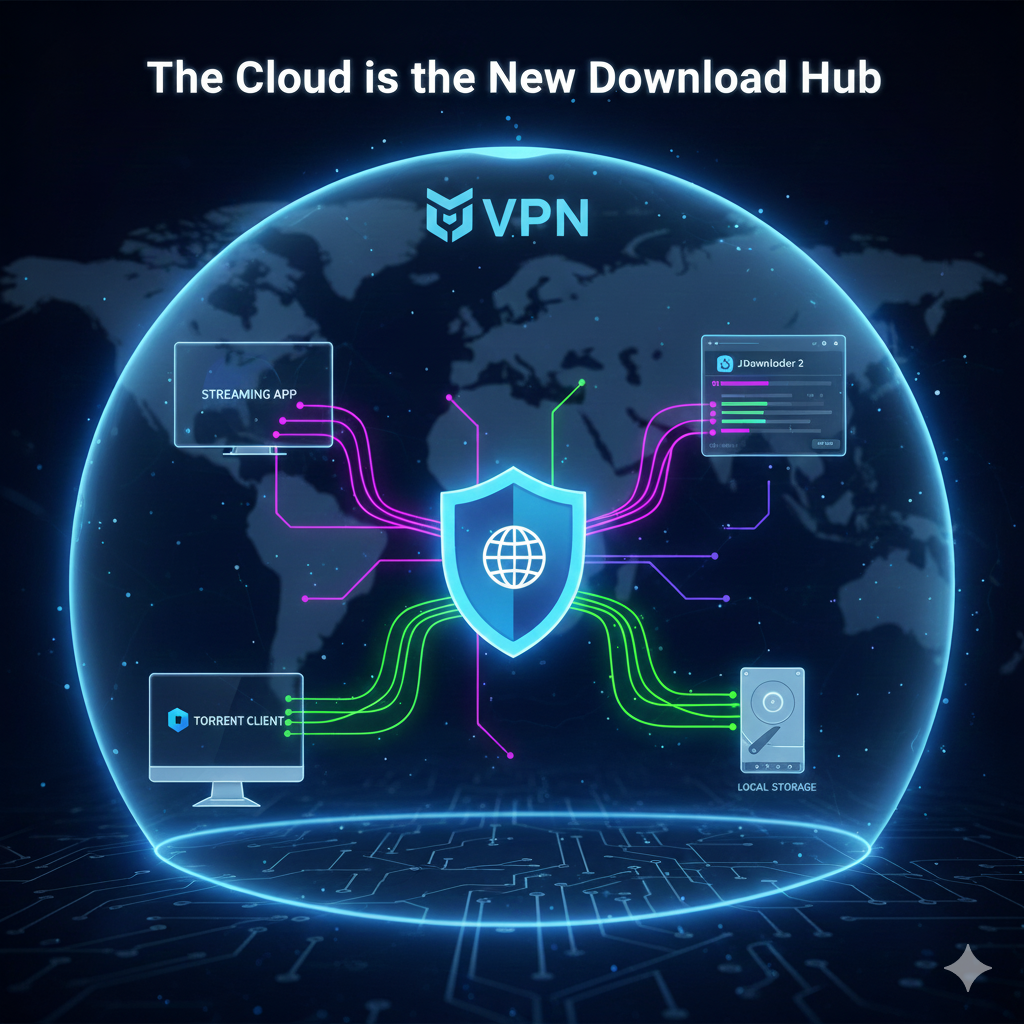
This new ecosystem prioritizes speed and security over complexity:
The Cloud is the New Download Hub
The most significant change is the rise of Debrid Services (like Real-Debrid). Instead of exposing their home IP address while downloading, users offload the risk and bandwidth strain to remote cloud servers. These services instantly access massive libraries of content, converting risky files into secure, high-speed HTTP downloads.
The Key Tools Powering the Shift
Whether you want to stream or permanently download a file, the process relies on linking several specialized tools:
- Stremio: Serves as the modern, user-friendly interface for browsing content that links directly to the Debrid server.
- qBittorrent: Still used by some as a source or search engine for finding the original files, which are then quickly routed to the Debrid cloud.
- JDownloader 2: The preferred tool for downloading files from the Debrid server back to a local computer. It maximizes download speed by using multiple connections.
- VPN (NordVPN, etc.): Remains a core security measure, protecting user privacy during the initial search phase and enhancing security while using Debrid services.
This combination of tools defines the current state of media consumption: a system designed for maximum convenience, high-speed delivery, and a minimal footprint on the user’s home network.