

iPad International Data Plan from AT&T
Here are the international data plans from AT&T for the iPad 3G introduced yesterday in the US.
Expensive bits.
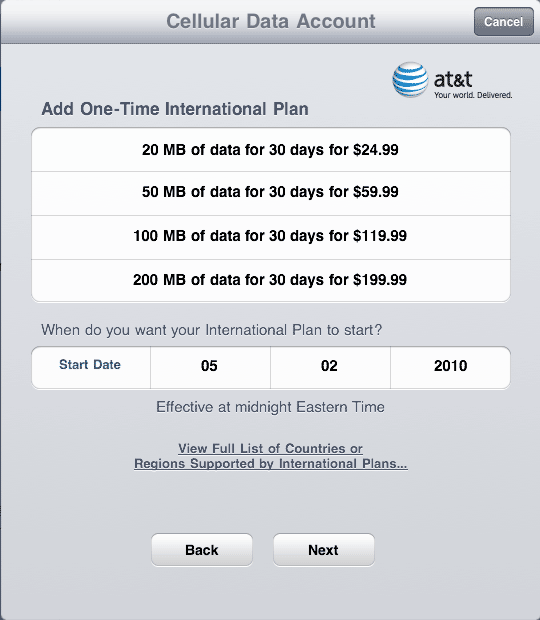
Here are the international data plans from AT&T for the iPad 3G introduced yesterday in the US.
Expensive bits.
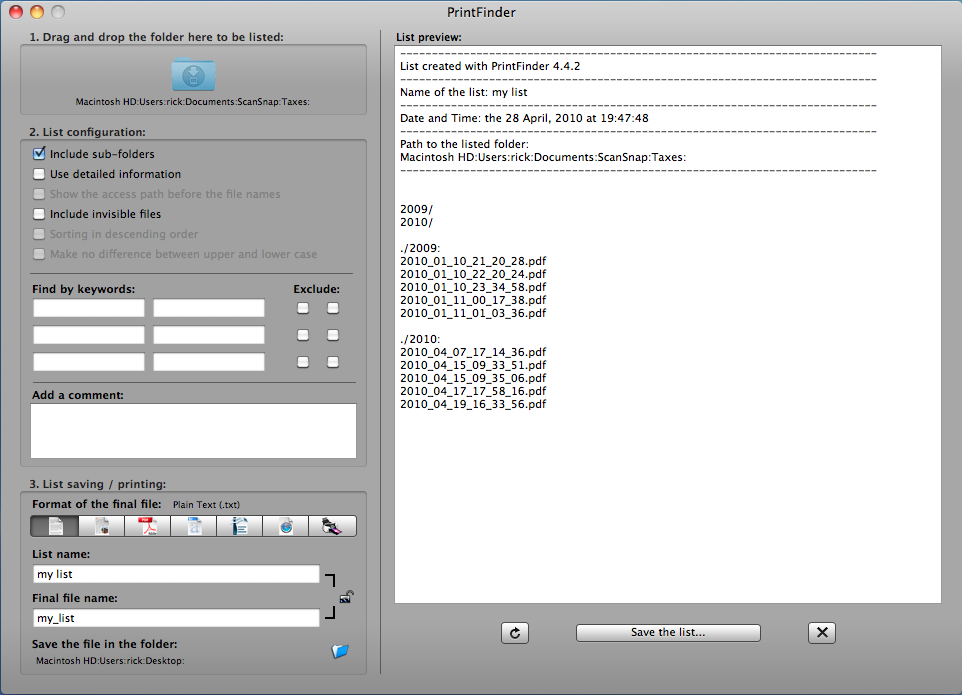
A recent Mac customer needed to send someone a list of files in one of their folders. We used this free PrintFinder program. You simply drag the folder you are interested in onto the folder icon at the top left of the application. PrintFinder has loads of configuration options for what to include. You can then copy the text from the preview area to the right or save it as one of many file types (pdf, word, etc).
There are other ways to save file lists using terminal commands, but I prefer PrintFinder for all its options.
Simplicity
The paperless office is the holy grail of organizers. It would be great to scan paper and then throw it right away, only to rely on the electronic scans. In my experience, these paperless implementations typically fail because they are too complicated and don’t offer real improvements over paper filing.
For the system to work, the workflow should have 1) very few clicks, and 2) the ability to create files that are fully searchable because they have embedded text created through OCR (Optical Character Recognition). Without this OCR function, you would need to properly name and categorize every document to be able to find it easily. That just takes too long. But with documents created with embedded text, you can use your computer’s search to find the document based on any text it contains.
ScanSnap S300M
There are many ways to go about creating such a system. My favorite is to use a Fujitsu ScanSnap S300M
Setup Steps
Below are my steps to setup everything. Thanks to Joe Kissell of MacWorld for this post and the update post which I used heavily.
and Apple computer with Mac OSX Snow Leopard. (not included with ScanSnap S300M)
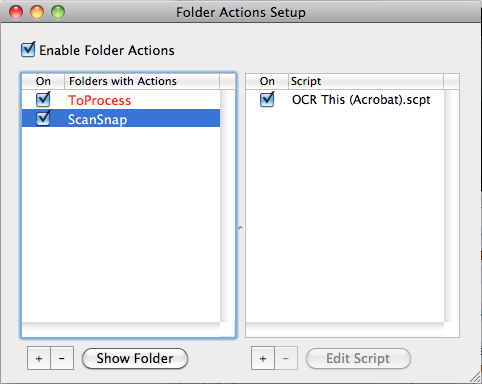
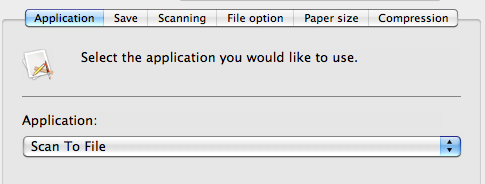
 .. that profile should have the Application tab select Scan to Folder.
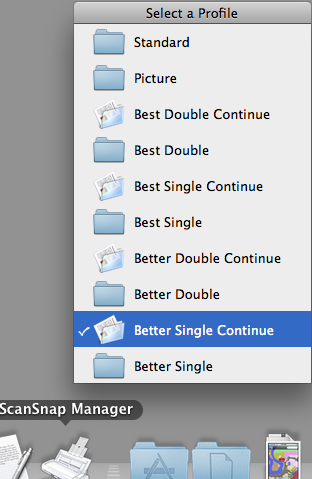
  This is because the pause in scanning could be too long and the script would attempt to OCR the file while still being created. The Scan to Folder option should be used with the Save tab saving the file to a different temporary folder (I use Picturtes/ScanSnap Temp but anywhere works. Nothing is stored here permanently). Then when you scan a document and the scanning is complete, you are asked where to save the file (by default the last location is shown). Then save it to the ScanSnap folder that has the Action Script enabled. Note: the Continue Scanning feature allows you to scan documents, then provides you with the following message in order to continue scanning into the same file until you are complete.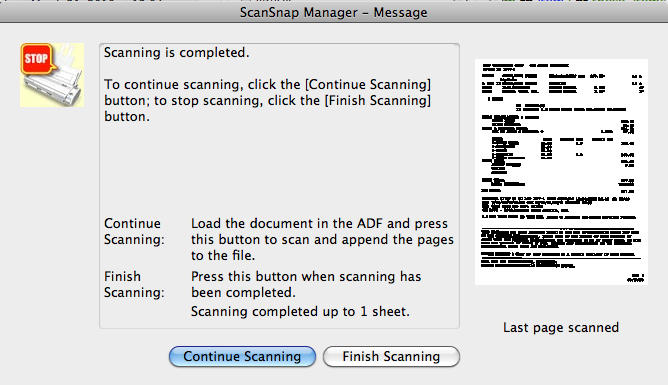
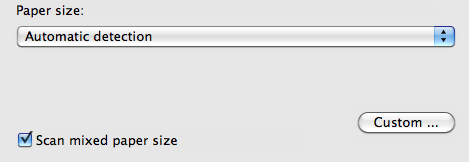
Workflow Steps
Now to the workflow for using this.
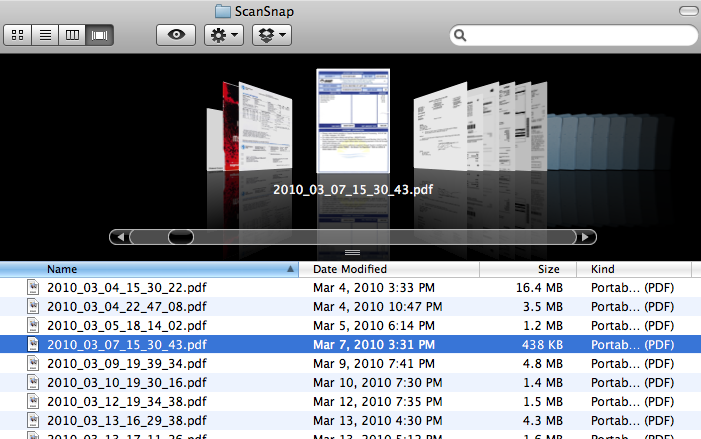
Done
That’s it. Okay, it’s not quite a snap to set up. But once you have it working, it is a system with very few clicks that should encourage you to get rid of paper.
There are many other approaches to simplify the scanning and OCR process. You can look at the MacWorld article referenced above or this DocumentSnap article on creating a Droplet. Let me know if you have improvements to this process or have other ideas for a simple scan/OCR workflow.
iPads Available
The iPad WiFi model is here. At the Clarendon Apple Retail store in Arlington, Virginia, there was a line for the opening. But by mid-morning, you could walk right up and buy one, even without a reservation.
My informal survey shows that nearly half the people are waiting for the 3G version instead of buying the WiFi-only model available today. The 3G model costs $130 more, allows the option to connect to AT&T’s 3G data network, and includes GPS.
These launch events appear to be our generation’s version of Woodstock, which doesn’t say good things about society. Still, the gadget lover in me feels like a kid in a brand new candy store.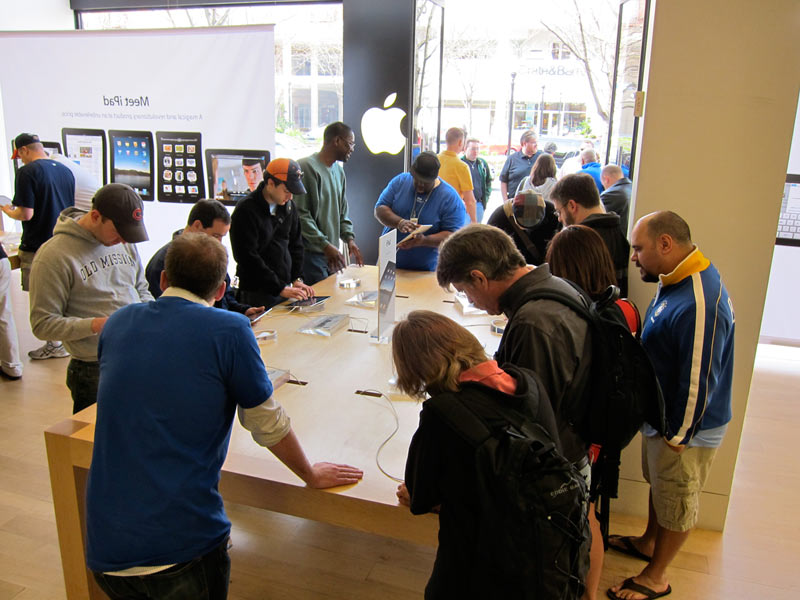
| The Colbert Report | Mon – Thurs 11:30pm / 10:30c | |||
| Stephen Gets a Free iPad | ||||
|
||||