

iPad 2 announced and parodied
Here’s the official video from Apple from their March 2 announcement:
And here’s the best parody video that I’ve seen of it so far:
Here’s the official video from Apple from their March 2 announcement:
And here’s the best parody video that I’ve seen of it so far:
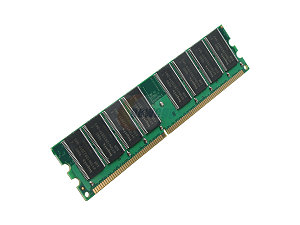 If you have new RAM in your Mac or if you are trying to diagnose weird shutdowns and problems, you should consider testing your RAM. An easy way to do so is to follow these instructions from the command-tab article “How to Test RAM Under Mac OS X“.
This will take several hours to run but should diagnose the tricky problem of bad RAM.
All the best to Steve Jobs who sent this to Apple employees today:
Team,
At my request, the board of directors has granted me a medical leave of absence so I can focus on my health. I will continue as CEO and be involved in major strategic decisions for the company.
I have asked Tim Cook to be responsible for all of Apple’s day to day operations. I have great confidence that Tim and the rest of the executive management team will do a terrific job executing the exciting plans we have in place for 2011.
I love Apple so much and hope to be back as soon as I can. In the meantime, my family and I would deeply appreciate respect for our privacy.
Steve
Three stories told by Steve Jobs at Stanford’s 2005 commencement speech:
From DC’s ABC7 News:
Probably best for your iPad if you have a declawed cat or a screen protector.
Why Change Your Home Folder
Due to the speed advantages of an SSD (solid state drive), many people are installing them. But because SSDs are expensive, you might consider having two drives: 1) an SSD for the OS and programs and 2) a standard hard drive for your data and files in your home directory. Included in the Home directory are the files that take up most of the room on a computer, such as photos, music, and videos. By having two drives, you can get some of the speed advantages of an SSD but still keep your 500GB of files on a HD.
A second drive can be added internally (actually 4 drives total) on a Mac Pro. A Mac Mini could use an external firewire drive for a secondary drive. And on certain model Macbooks, you can find drive enclosures that replace the optical bay.
How to Move the Home Folder
Here are the steps:
After this, the default location for all User data will go to the new location when in that account.