Shopping

New eBay fees raise prices yet again

eBay has recently announced new seller fee prices to take effect at the end of March. While they announced “lower insertion fees”, if you are selling something that sells for between $50 and $1500, your total fees will end up much higher.

The new fee structure will have no listing fees for the typical auction seller. The old way was usually $0.15. Both assume you start your auction at $0.99. The old final value fees had a tiered structure where you pay 8.75% for the first $25 and then 3.5% for $25-$1000 and so on. The new fees have a flat 9% final value fee but with a maximum of $50.

The following table shows how the total fees will change. It assumes you start your auction at $0.99.

Sale Price Old Fee New Fee
$10 $1.03 $0.90
$25 $2.43 $2.25
$50 $3.21 $4.50
$100 $4.97 $9.00
$250 $10.22 $22.50
$500 $18.97 $45.00
$1000 $36.47 $50.00
$1500 $43.96 $50.00
$2000 $51.46 $50.00


So unfortunately, most items you sell will have much greater fees, especially around the sweet spot range of $100-$500 where fees are about double to triple what they were. eBay has done this before where they announced the lowering of insertion fees but in reality it is an increase in total fees.

Buying a Home Theater Projector

Why you should buy a home theater projector

Screen size. For the ultimate large screen (100+ inch) theater experience, a front projector is the only solution under $80,000. There are large LCD, Plasma, and rear-projector televisions, but none over 100 inches that can practically be purchased or fit through your door.

Why you should not buy a projector

  • Lighting. Ambient light from windows and lamps immediately washes out a projector’s colors and dark details. To have a proper picture with correct colors and darks, you need to be able to completely control the light in that room, for example, by having heavy drapes on the windows. This creates a theater environment but can be impractical for casual viewing.
  • Installation. Projectors need to be mounted properly and focused so that there are no distortions. A screen also needs to be installed for best picture quality.
  • Maintenance. Projector bulbs need to be replaced every year or two, depending on usage and bulb life. Some projectors also need to be vacuumed for dust periodically.
  • Noise. Fan noise can be loud and irritating on some models.

Researching a projector

projectorreviews.com

  • ProjectorReviews.com by Art Feierman. Art has by far the most in-depth reviews of home theater projectors. People in forums anxiously await his reviews and refer to him when making arguments for projectors. Manufacturers sometimes send him test units prior to producing projectors. His daughter helps with the photographs and his friend Mike helps with calibrations.
  • AVS Forum’s Projector’s Under $3000 page. As with other home theater gear, AVS Forum has intelligent discussions of projectors by shoppers and owners of the equipment. They also have forums on projector screens and making your own DIY screens to save money.
  • Projector Central. Not as detailed as ProjectorReviews.com, but another resource for reviews.

Some things to consider

  • 1080P versus 720P resolution. Three years ago, 720P resolution was much cheaper than 1080P. But as with LCD TVs, projector manufacturers are putting all their effort into 1080P which can be purchased now for $1000.
  • Brightness. Ambient light in the room can be somewhat compensated for by a brighter projector.
  • Noise. If you are sitting close to the projector, you will want one that is relatively quiet, below 30db.
  • Bulb replacement. Look at replacement bulb costs as well as how many hours of life you can expect for a bulb.

My current favorite

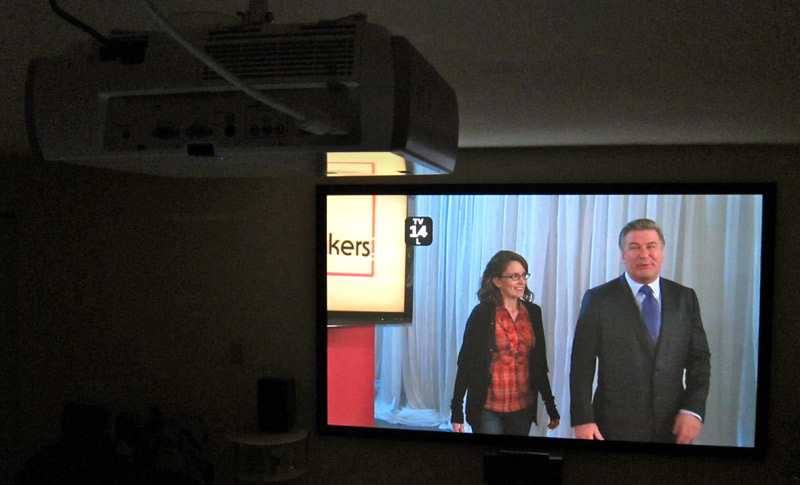
A TV is a personal choice depending on your needs, room environment, and budget. My favorite at the moment is the Epson Home Cinema 8100 (see a review at ProjectorReviews.com) because it has:

  • Brightness while maintaining good colors. Many other projector’s brightest mode will create much poorer colors.
  • Shadow detail better than cheaper 1080P projectors.
  • Quietness. 27db or less. Cheaper 1080P projectors such as the Optima HD20 and Vivitek 1800 are significantly louder. Panasonic makes quieter projectors, but they are not as bright as this Epson.
  • Good warranty and long bulb life. Epson is easy to work with if you need a repair.

Epson 8100 Projector

Runner-up

I also recommend the Mitsubishi HC3800. It uses DLP technology instead of the Epson’s LCD, which leads to these trade-off’s: Pros: great colors, smaller body. Cons: louder fan, minor rainbow effect which some people notice and some don’t (caused by the DLP’s spinning color wheel).

Where to buy

As with other electronics, there are better deals if you shop online instead of going to Best Buy. I usually start at Amazon, but there are many online stores that will provide competitive pricing.

Black Friday Sales

Shoppin’ Time

It’s an important tradition in the US, spending time with family and going shopping.

For information on 2009 Black Friday deals, see bfads.net and slickdeals.net.

Black Friday 2009

But be careful to look at yourself in the mirror. You don’t want to look like the People of Walmart (warning: site contains partially clothed unattractive people).

Online Travel Sites

Reagan National Airport

Online travel booking is easier than ever. And for us lucky folk in Washington DC with three airports (Dulles, Reagan, and BWI) there are flights everywhere and lots of deals. Below are some useful travel sites.

Travel Reservations

Travelocity – early leader in online reservations with roots back to CompuServe and AOL. Now known for the gnome commercials.

Orbitz – developed by airlines in response to Expedia and Travelocity.

ITA – uses the search system that powers Orbitz, but allows far more complex trips.

Priceline – offers standard purchases or allows you to name your own price for flights, hotels, and car rentals. Pitchman is now William Shatner.

Expedia – started by Microsoft, bought by Ticketmaster, now independent.

Hotwire – owned by Expedia. Unique in that you purchase hotels based on location and star rating. You only find out the name of your hotel after the purchase.

Kayak – travel search aggregator. Kayak does not directly sell tickets, but links to all the sites that do and makes a small amount of money on click throughs.

Bing Travel– recently renamed from Forecast.com, now owned by Microsoft. This site has flight price trends and predictions to help you decide if you should buy or wait for a better fare. It’s not perfect has helped me on a couple of occasions with suggestions to wait for a better price.

Special Airlines

JetBlue and Southwest airlines are not part of the above travel reservation sites. You can only book with them directly.

Other Resources

The Savvy Traveler Blog – deals and news by Rudy Maxa who often discusses travel on WAMU’s Kojo Nnamdi Show on NPR in DC.

Flyertalk – forum for frequent flyers to discuss deals and reward programs. This is where serious deal seekers go to discuss optimizing their points and airline status.

Liftopia – discount ski lift tickets and ski hotel deals.

TripBuzz – find local activities.

Have other travel resource recommendations? Email me to let me know.

6/12/16 UPDATES: Updated ITA Link and added TripBuzz, thanks to Phoebe.

Dropbox Tips and Tricks

Dropbox is one of my favorite tools to help small businesses in the D.C. area share files on the cheap.

Dropbox Wiki Info

Besides simply sharing files with your friends, office co-workers, or just your other computers, there are lots of other uses.

See the Tips and Tricks page and Dropbox Add-on page on the Dropbox Wiki explaining things such as:

Other Dropbox Tips and Tricks

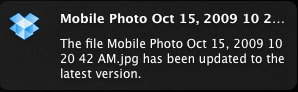
  • See any updates that occur to your Dropbox files with the free Growl (Mac) program. Dropbox for Windows does this through the Dropbox System Tray Icon. This is especially useful if you are sharing folders and need to be notified when there are new files.Dropbox Growl Notification
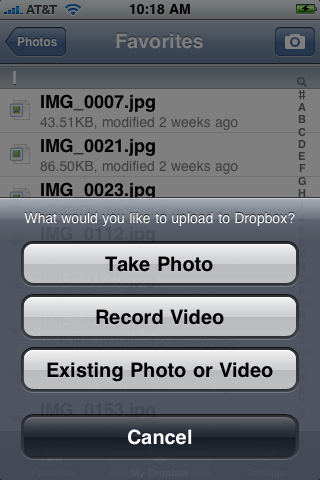
  • Automatically make web photo galleries by moving pictures to the Dropbox Photos directory either from a computer or using the free iPhone Dropbox App.

iPhone Dropbox

  • Use a Dropbox Add-on that allows you to quickly move a file to a public folder and place the URL the clipboard. This makes sending people a file super easy.
  • Change shared folder names. For example, I share a folder with Joe that I name “Joe”. Joe can accept to join that folder and then rename the folder “Rick” so that it makes more sense for him. The great thing here is that the folder is still named “Joe” for me. Alternatively, I can share a folder with Joe that I have named “Rick” and then rename it to “Joe” once he has joined that folder. On Windows machines, renaming a shared folder has sometimes caused me to leave a shared folder. To get around that quirk, rename a shared folder from the Dropbox website.
  • Move shared folders. You can move shared folders, for example, to a directory named “Shared” or “Work”. This does not affect any of the shared users.

Sign Up Referrals

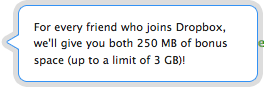
Dropbox ReferralDropbox is free for 2GB of space. See their pricing for more space. One of the reasons that Dropbox has quickly grown in popularity is their referral program. Once you sign up, you can invite others and get 250MB of extra space for everyone you sign up. On that note, please use my Dropbox referral when signing up for Dropbox to give both of us an extra 250MB of space.

Scroll to Top