

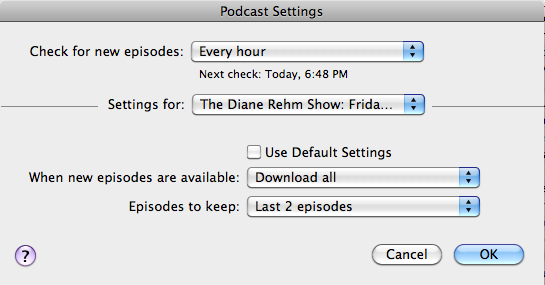
If you use iTunes and need more control of your podcasts, click on the Settings… tab at the bottom of the iTunes Podcasts page. This gives you the ability to choose download and retention settings. You can set a default and per-podcast setting.
Set a default podcast setting that applies to most of your podcasts, by first choosing:

The individual control of podcasts was added a year ago in iTunes 8 but most people didn’t notice the addition. Now you can, for example, automatically keep only the latest of your news programs while keeping all of your story podcasts.
Some podcasts are released in batches. For example, NPR’s Dianne Rehm’s Friday News Roundup podcasts are released two at a time on Friday. Therefore I set it to Download all instead of the most recent one. If I only downloaded the most recent, I would miss one of the shows.
You might also want to Download all if you only sync occasionally and want the most recent files, instead of the most recent podcast and an older podcast from when you last synced.
I find that if you change a podcast to keep only the Last X number of episodes, this does not go into effect immediately, but it eventually goes into effect after a podcast is refreshed.