

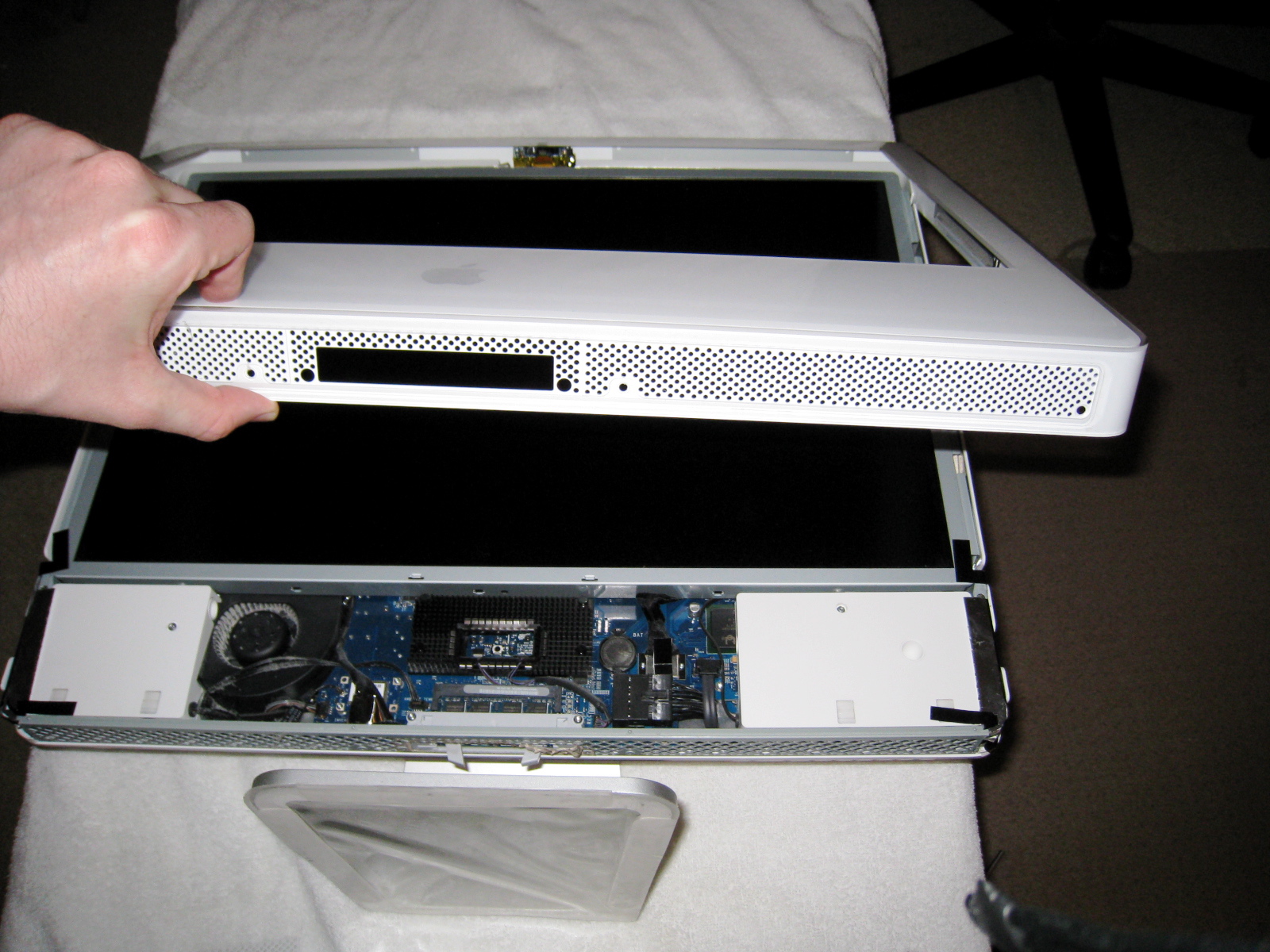
 A Fairfax, Virginia customer recently had an iMac 24″ Intel Core 2 Duo 2.16 GHz (the two year old white acrylic plastic model) that had a malfunctioning video card (random lines, ghost windows, static). Otherwise it worked great, so we decided to fix it.
Bad Video Card
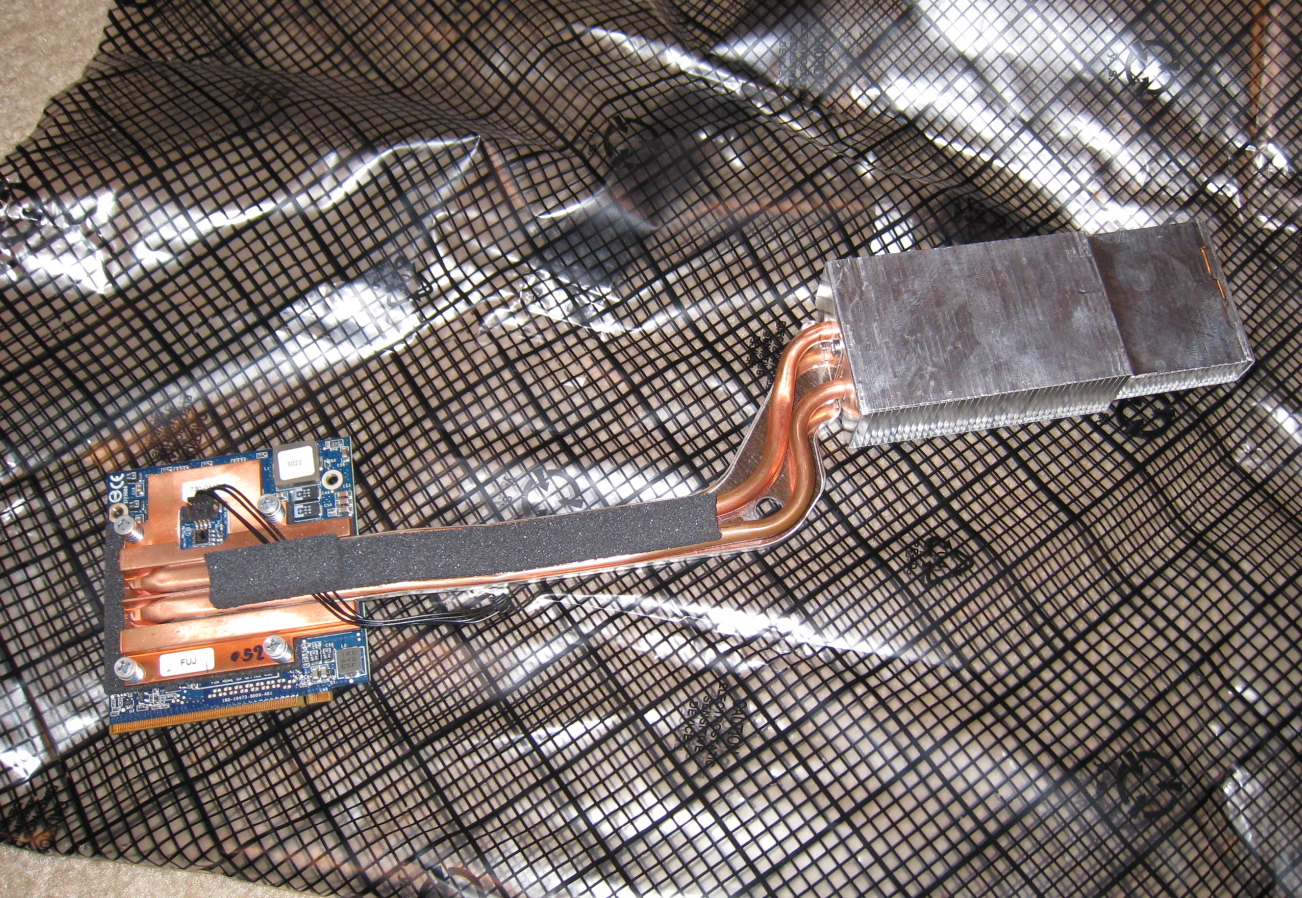 Because the iMac was not under AppleCare warranty, we decided not to have Apple fix it for what would probably be $700-$1000.
I ordered a new NVIDIA GeForce 7600 GT video card. The GeForce video card for this iMac has a special MXM PCI Express connector. So you can’t just pick up any GeForce 7600 GT or 7300 GT. Only WeLoveMacs.com appears to sell the correct video card.
Screws Galore
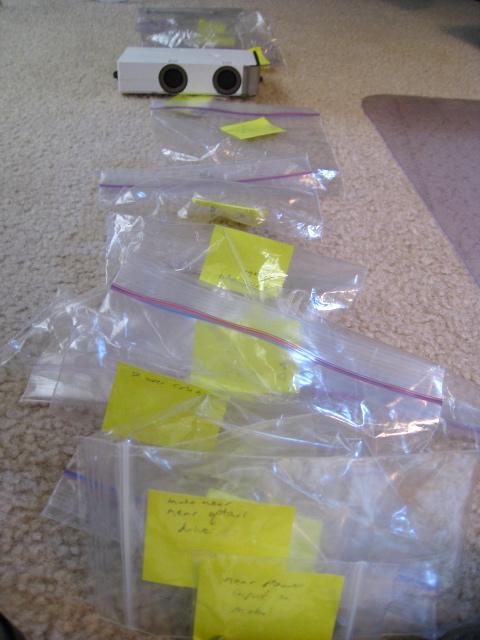 The iMac has lots of philips and hex screws of different sizes. I used these baggies and labels so that I could reassemble the iMac. I do the same thing when taking apart a laptop.
Hard Drive Upgrade
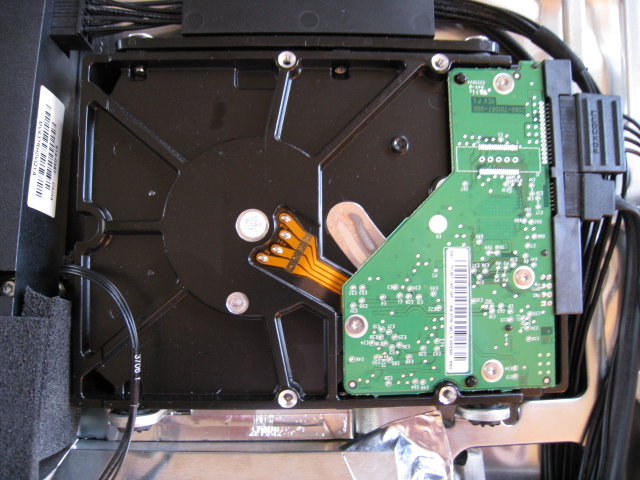 While I had the iMac opened, we upgraded from a 500GB to a 1TB hard drive. This required prying off the hard drive’s heat sensor and reapplying it to the new drive with rubber cement.
Not an Easy Job
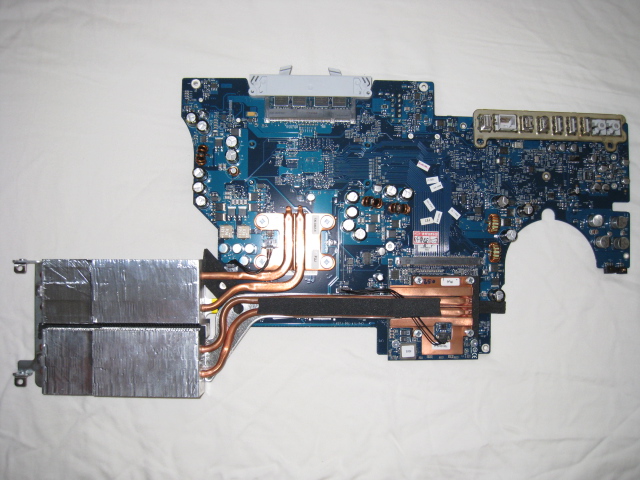
The video card unfortunately is underneath the motherboard, which Apple refers to as the “logic board”. It is much easier to bring an iMac or MacBook to Apple for repair than attempting it yourself. Even if you are somewhat skilled, the process takes hours. But if you have an out-of-warranty computer, this could save you some money.
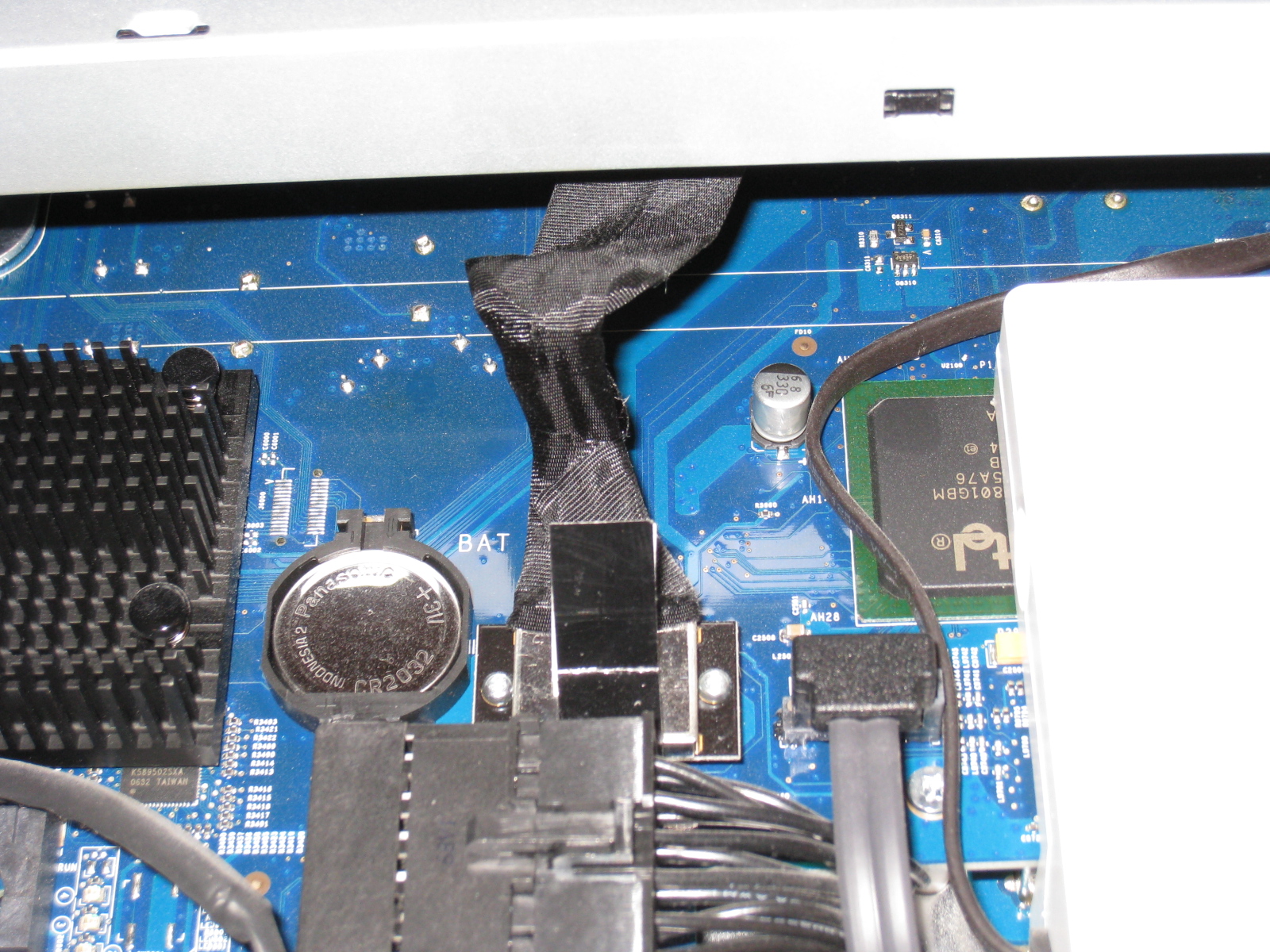
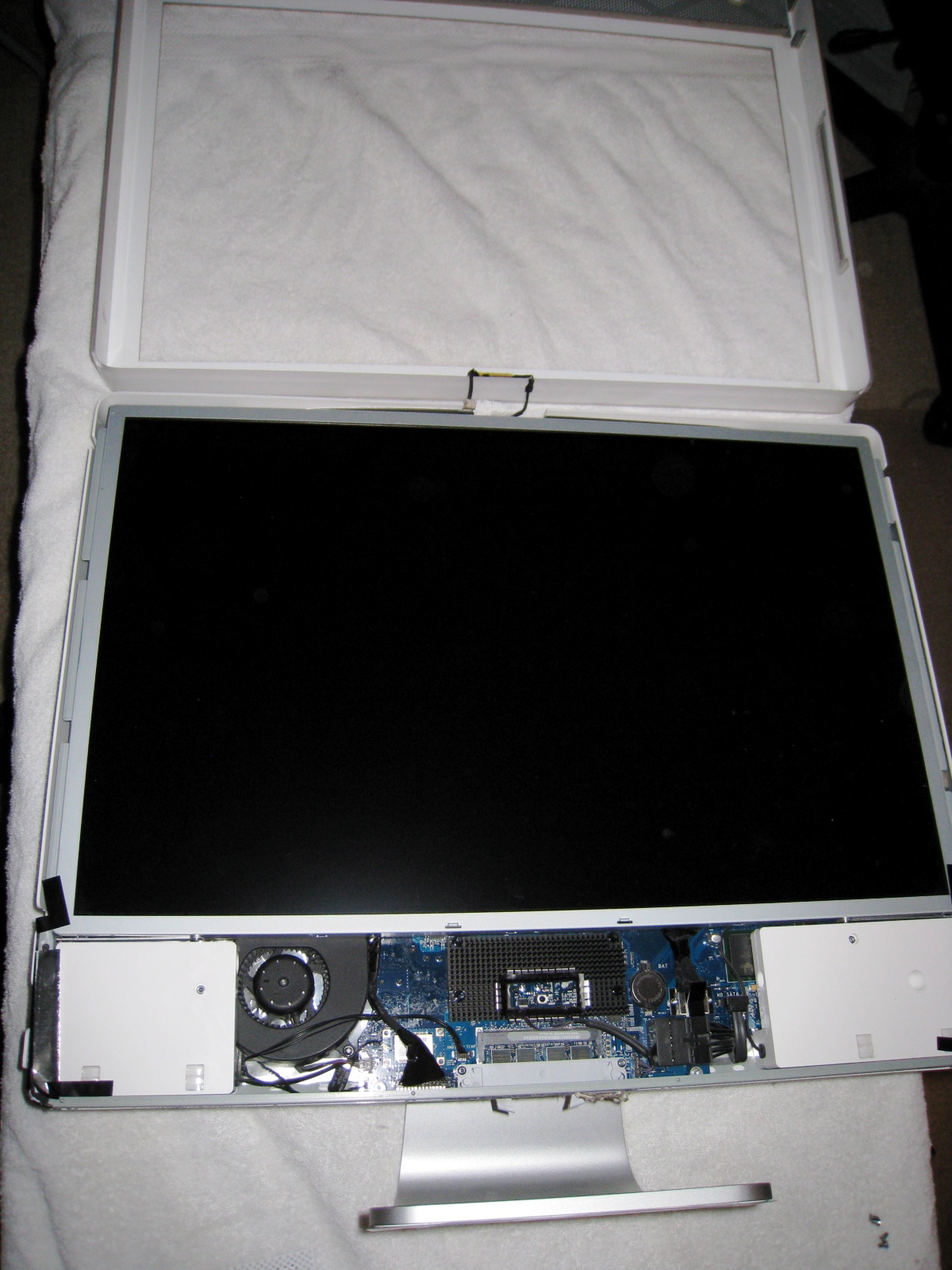
Because there are no other photos of the internals of this iMac online, I’m posting a bunch here:
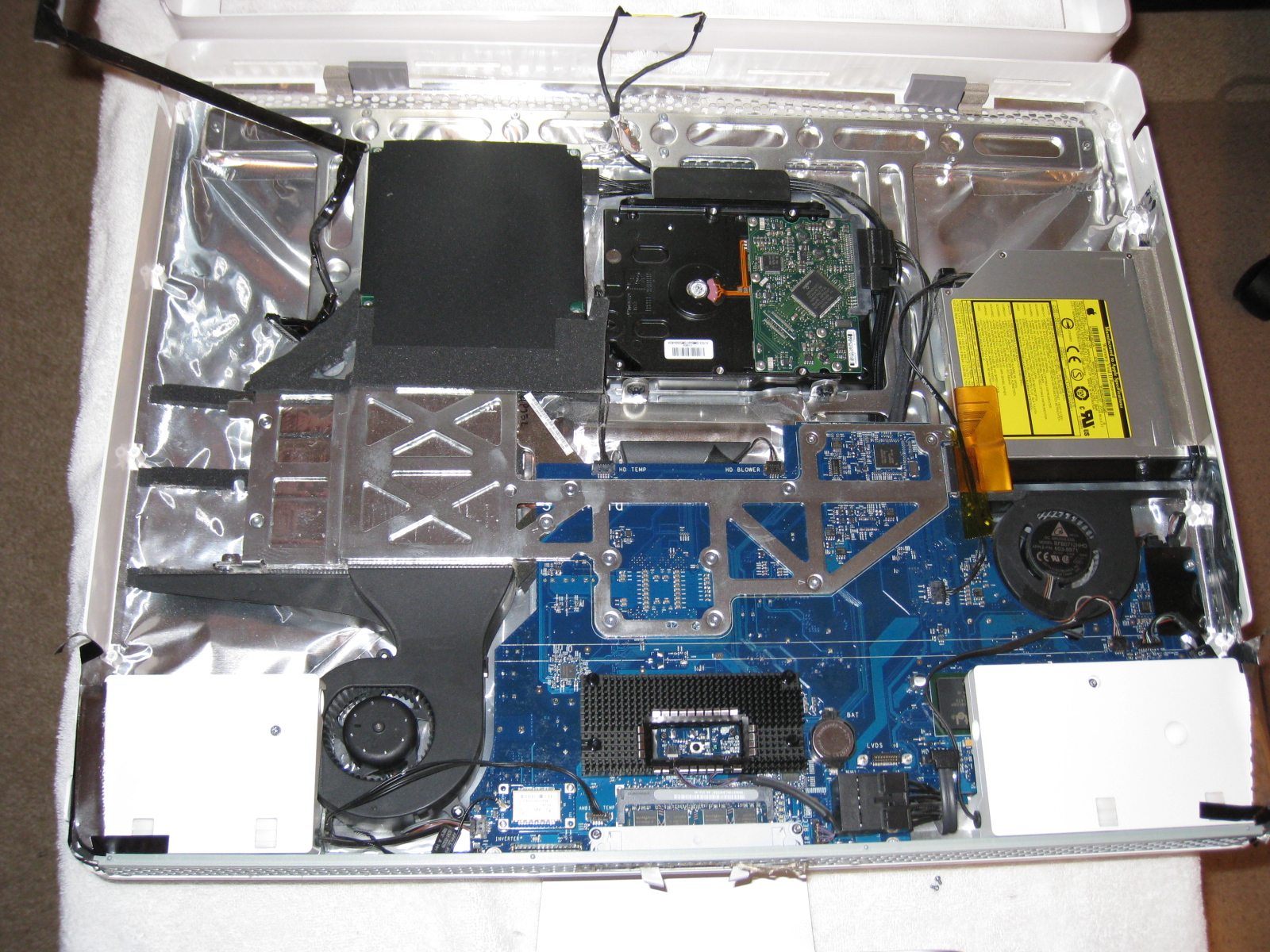
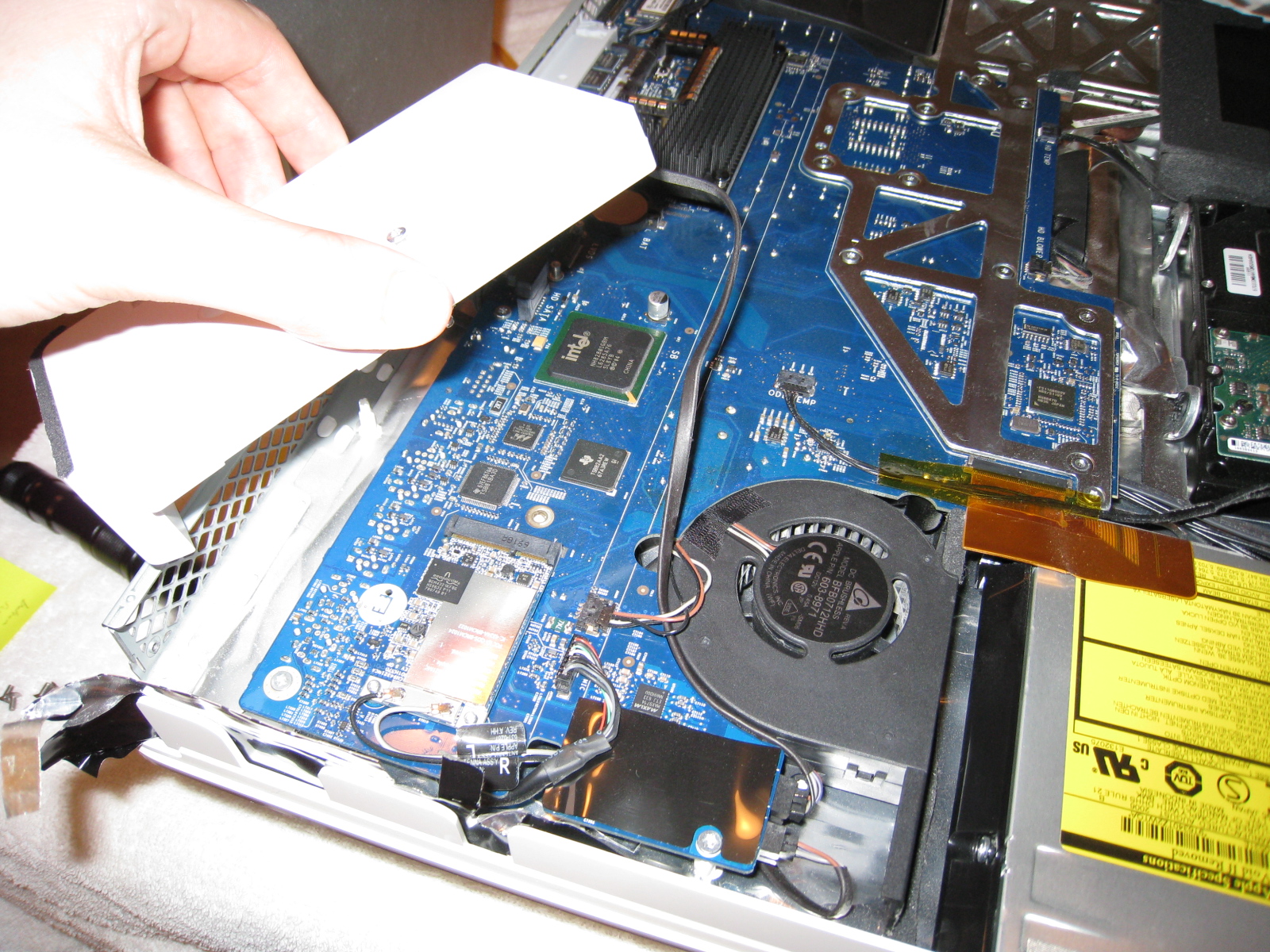
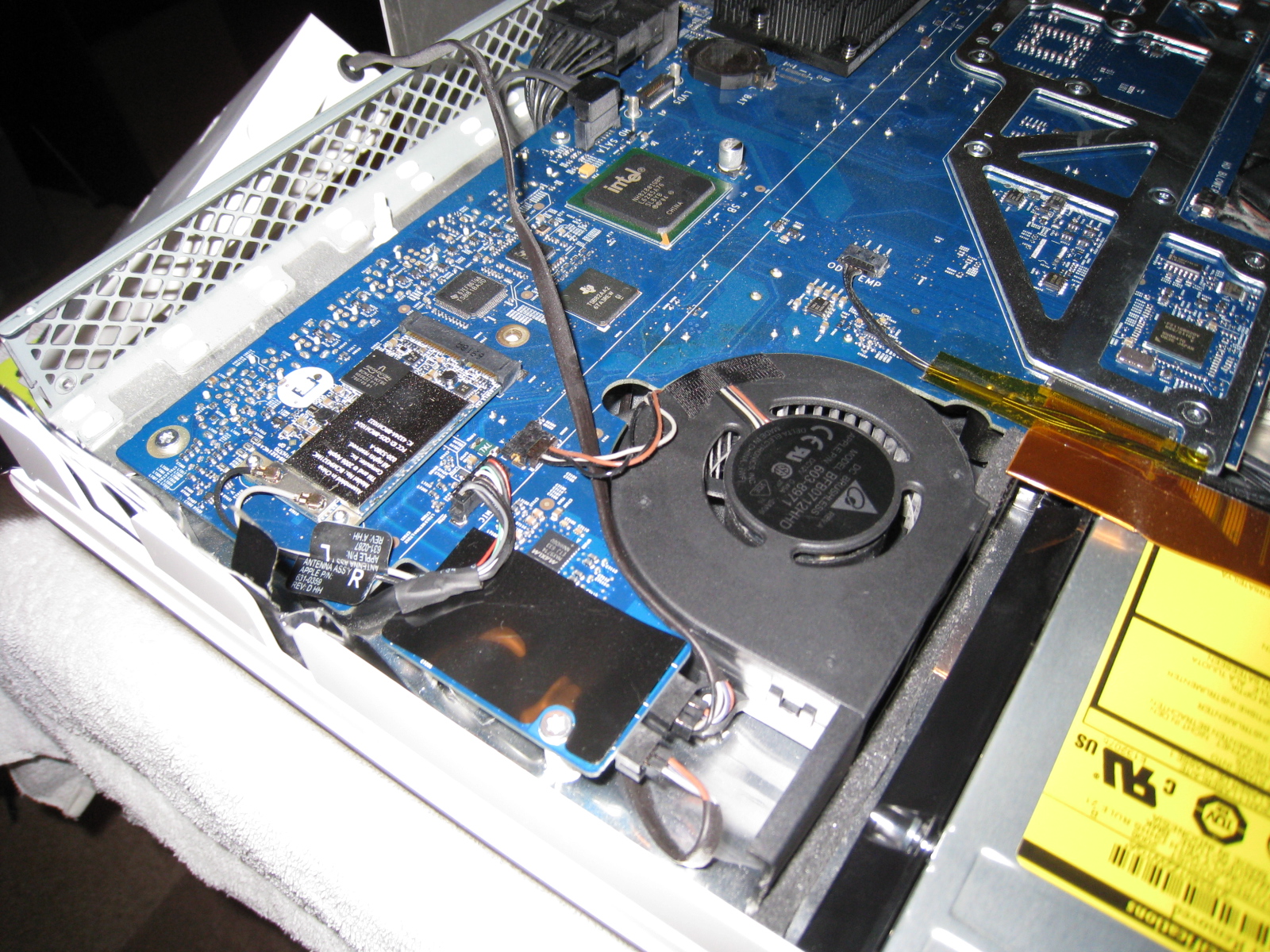
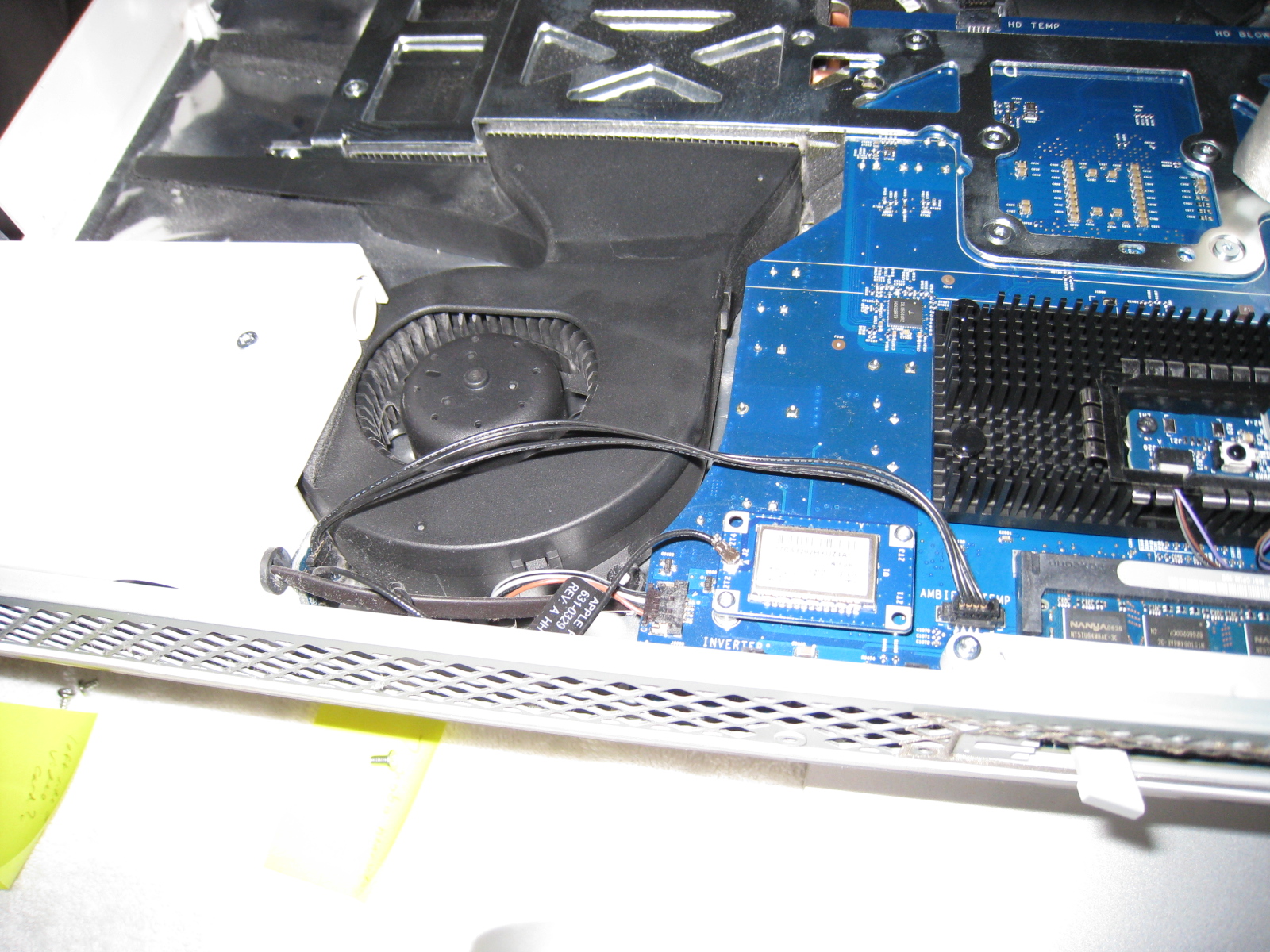
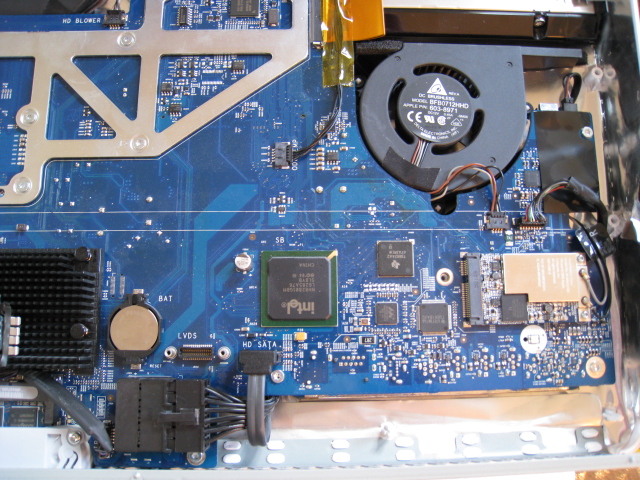
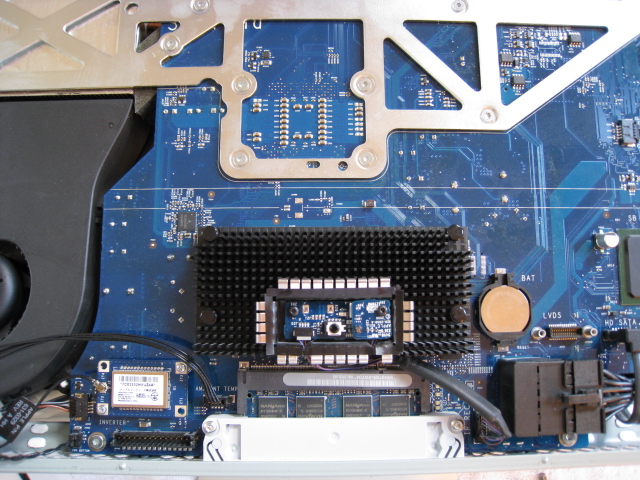
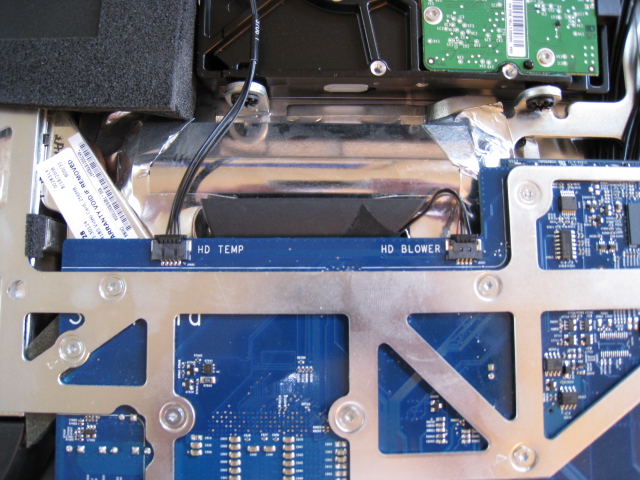
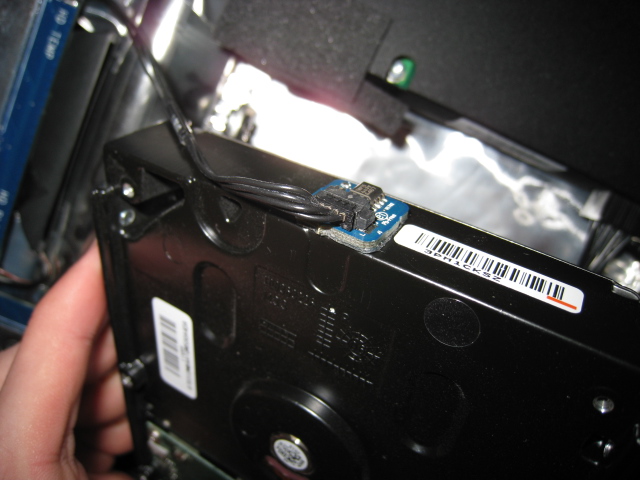
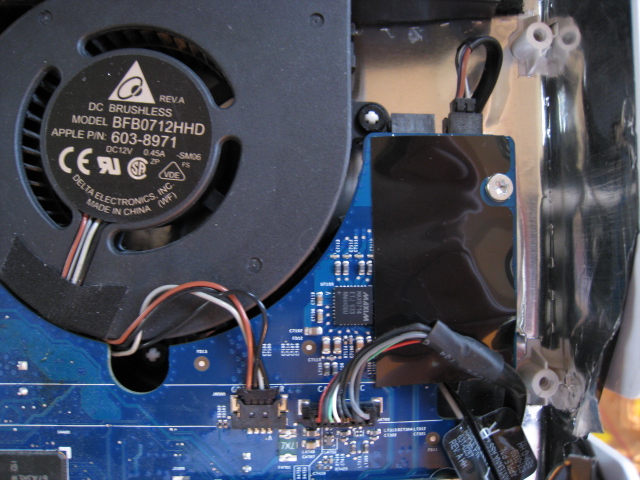
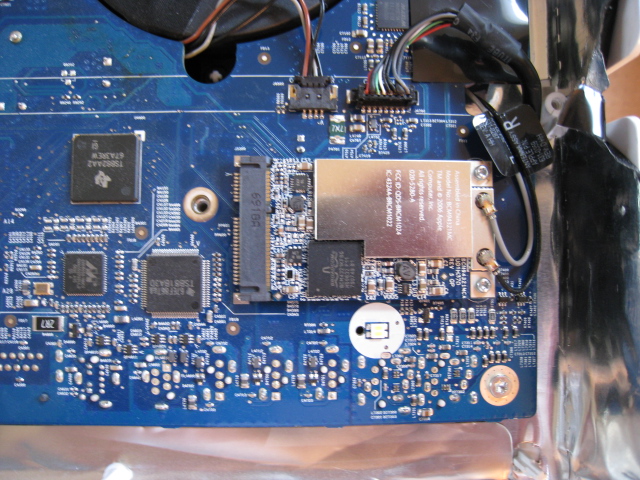
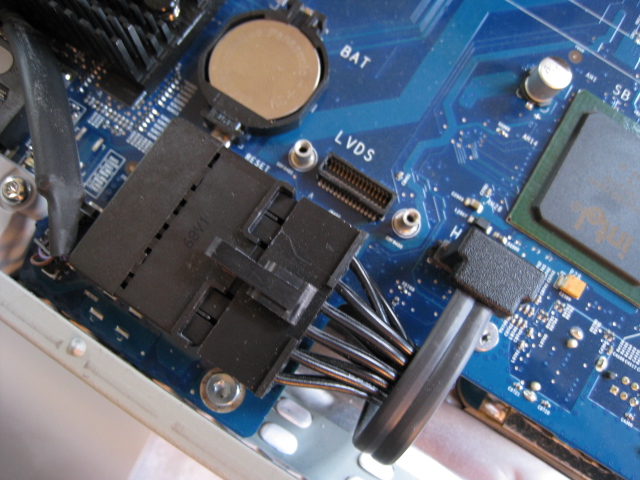
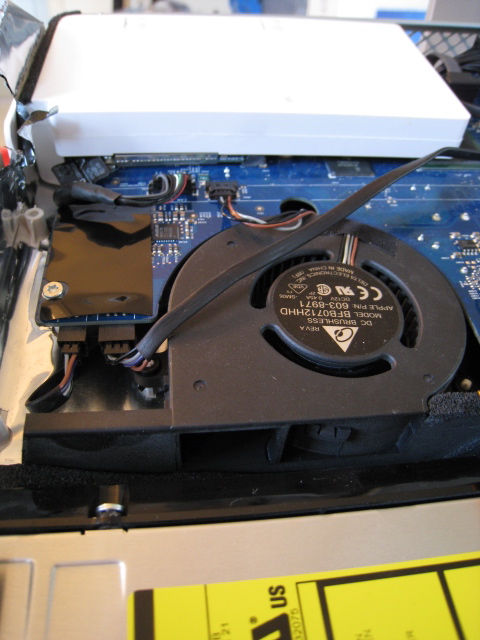
NVIDIA GeForce 7600GT is MXM II; GeForce 8800 GS is MXM III….
i’m having the same symptoms as everybody. i also have a late 2006 with the 7300g card. I found this video on youyube with my same symptoms. is this related to the video card? http://www.youtube.com/watch?v=3j-tZ_v1aCc
Yes Eric Kinney, these two cards has a different physical form factor, MXM II vs. MXM III.
But that’s NOT the problem, – inside of these 24″ iMacs should be enough space.
The root of the problem is definitely the “MXM to logicboard EFI communication”. I read somewhere that the white iMac MXM (1Gen) modules are talking to the logicboard according EFI 1.10 specification, while the 2007/2008 ALU iMac MXM (1Gen) modules are talking according EFI 2.xx, ALTHOUGH they only have EFI 1.10 level… >:(
To Aurelio, check this site: http://www.flickr.com/photos/litmus/4480251432/
For every affected user, the following site would be also interesting: 😉
http://www.petitionspot.com/petitions/imacrecall
thank you for your reply.. I guess i’ll try that before replacing it..
You can petition all you want but its a little late……5 year old machine??!?
I replaced my card, the iMac is as good if not better than ever. Not the only MAC in the house but I use it every day. If you want a gamer, go buy one.
Replacing the card DOES solve the issue at hand.
Before considering a complete card replacement, did some some of you tried to replace the thermal grease on the GPU ? (as it looks as if this is the main issue with this NVidia 7300GT)
see there : http://www.flickr.com/photos/litmus/4480251432/
Rick, hey thanks so much for the info and the pix. Upgrading my lil friends machine today. Was wondering just how to get at.
Rick,
Do you know anyone in the NYC/NJ area that you can recommend to do a replacement on the NVIDIA GeForce 7600 GT video card? Thanks.
I don’t. Anyone have a recommendation?
Abhi, I don’t know this place personally, but I saw in another thread on the iMac video problem that someone recommended “L2 Computer Inc, New York, NY”. Like I said, I’ve never used them, so look into the reviews.
I have opened mine but I cannot understand how to make the screws holding the GPU to release, see photo here: http://www.techdc.com/wp-content/uploads/2008/08/imac07.jpg
4 x black plastic topped screws? with springs under them.
I need to release these so I can turn the GPU over and replace the silicone.
HOW do I remove these spring loaded screws pls?
Is there any option like this for the 20″ Intel Imacs with the ATI Radeon x1600. I keep readin that our only option is a full logic board replacement.
Thanks,
Russ
@DDD – the black heat sink is not part of the GPU. The graphic card on the 24 inch iMac is a separate card underneath the logic board. You will have to remove the whole logic board to get access to it.
@Russ Peters – the 24 inch iMac has a separate and replaceable video card, the 20 inch iMac has a video card/chip that is soldered onto the Logic board, requiring the replacement of the whole logic board to replace the video card/chip.
Hope this help.
Adam
Is this very, very common problem with late 2006 and early 2007 24″ iMacs a manufacturing fault? If it is I am looking for a statement from a suitable, reputable engineer willing to state so.
End of tether and heading to Court.
Many thanks
excuse my poor english, did you know if 2008 iMac 24 inch can be upgradeable by one most recent video card? like ati radeon 5750 or 6750, not one mxm generic card but one video card from an most recent iMac, thanks for any help!
Very, very useful, especially the photos and their captions. My old iMac (early 2007 24″ white) seems to be working fine now that I have redone the thermal paste on the GPU and removed all the accumulated dust inside! Many thanks!
I’ve been trying to see if I can do anything for this computer, only that now it doesn’t have OS since it failed hard while trying to go back to tiger and the artifacts and flickering and freezing are just too much for the computer to resist the whole instalation process.
@Mike, do you have any tips on changing the thermal paste? Or maybe some pics of the process?
I started from your post , when i found my iMAC 24″ with 8800GT not working due to Video card problems, after i found the VGA i used the Baking solution that is posted all around youtube, and here Im my iMAC works great again.
So if you have the 8800GT problem there is no need to pay for another VGA , you just BAKE it 🙂
Relative gave me a iMac 2006. Said that screen had a small spot that had some ‘pixelating’. After he installed Snow Leopard, don’t know what he upgraded from. It got worse. Was it from the upgrade? I think he said it had a small spot before he up graded. Thanks
– not MXM 2 or 3 problem is there are mxm 2 and mxm 2.1
– very possible they are many cards mxm 2 or mxm 2.1 witch will fit into older mac
– ordering chips from chine to replace mine on geforce 7300 🙂 wish me luck
– but looking for some cheap cards because they might fit but they must be yours mxm slot revision 🙂
Daniel
A few things to add this many years later. i have been following this post for a long time. the most notable things i can add to help wrap this issue up are: 1) the cooling system was flawed from the drawing board. the gpu heat sink uses the heated air from the cpu heat sink below it, automatically putting it behind on staying cool. It would have been so much better and not more costly to orient the heatsinks side by side vertically rather than horizontally, using the same amount of space. 2) neglecting to clean the lint build up between the cpu heat sink and fan causes the majority of permanent damage on all apple systems. 3) The thermal paste used on the gpu, just like the cpu, becomes hard and brittle offering terrible heat transfer properties. 4) These systems were designed with light duty graphic use in mind, and hd video/hd flash/ hd games were relatively new and became increasingly demanding as time passed.
I love this model mac, and will keep it running as long as parts are available.
I’m about to open mine up and replace the hard drive with a SSD. I just started getting video issues and managed to grab a brand new 7600 GT. But first I’m going to try removing and re-applying thermal grease to the existing GPU.