music

Why I’ll Never Go to Another Concert Without My Musician’s Earplugs

I go to several concerts a year, and I enjoy them so much more now that I have musician’s earplugs. Yes, it’s important to protect your hearing from tinnitus and hearing damage. But I mainly just love how they make the music sound so much better.

Normal foam earplugs muffle the sound, as if you put pillows over your ears. You lose all the clarity and detail that makes live music special. Musician’s earplugs keep perfect fidelity across all frequencies. It’s a night and day difference.
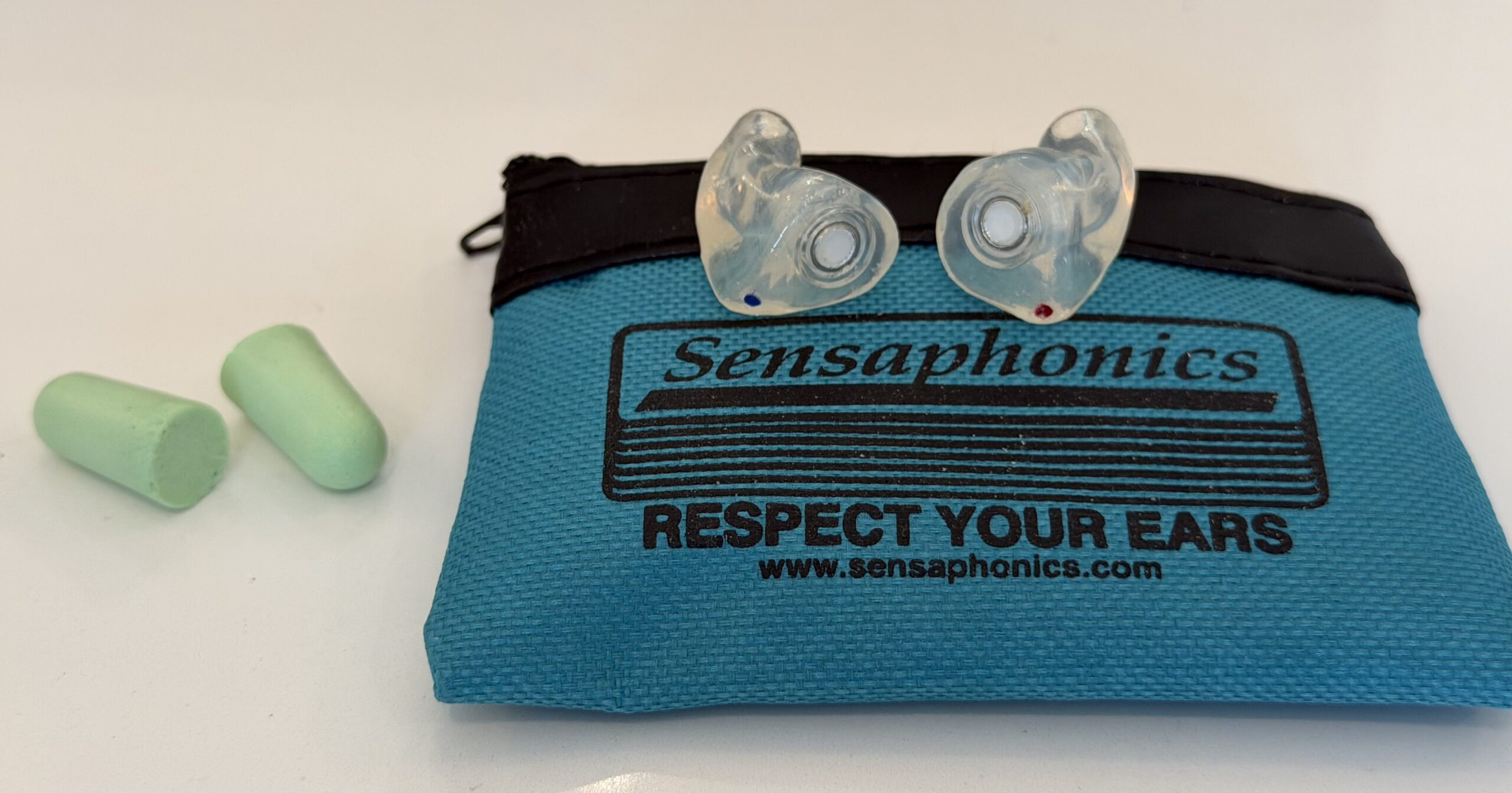
Getting Custom Earplugs

You pay around $100 for ear impressions from a local audiologist or hearing doctor. I went to Dr. Elizabeth Hoehl, who does this work frequently and knows exactly what musicians and concert-goers need.

Dr. Elizabeth Hoehl
124 Park Street, SE
Suite 202
Vienna, VA 22180
(703) 791-1072

My Setup

I ordered from Sensaphonics in Chicago and got their ER Series plugs in translucent. I personally went with -15 decibel filters, which work great for most concerts. You can talk to the people at Sensaphonics to see what would be best for you – if you go to heavy metal shows, you might want stronger filters.

I also got filter locks to make sure they stay secure. The total cost was around $210.

The Learning Curve

Custom earplugs do take some effort to learn how to put in your ears properly. But once you get the technique down, they fit perfectly and make the concert experience super enjoyable. You can actually hear the music better, talk to friends between sets, and walk out without that ringing in your ears.

Trust me – if you’re a regular concert-goer, this is one of the best investments you’ll make.
iTunes Match

Benefits

iTunes Match accomplishes a few things for me:

  1. Updates my collection to 256 kbps aac files (higher quality)
  2. Backs up my collection online (iCloud)
  3. Makes it easier to use other Apple products for my music collection without needing to download everything. This makes it easier to use a lower capacity laptop, iPhone, or iPad.

It’s worked pretty seamlessly for me and costs $25/year, although you only need one year if you just are interested in accomplishing #1 above.

Updating to 256 kbps

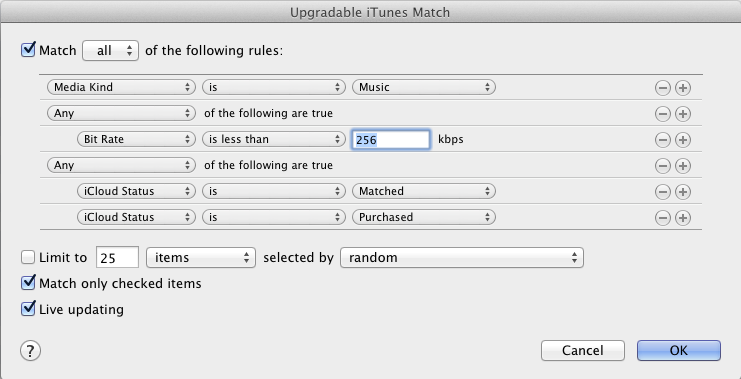
I followed the Macworld instructions to create a Smart Playlist that shows just the songs needing an upgrade (see picture). Hold down option key when clicking the plus to add the conditional rule for iCloud Matched or Purchased.

Then I selected all the files and deleted them, making sure to NOT select to delete them from iCloud. Then I downloaded the files over a couple of days.

Play Music at Retail Legally

Background Music at the Store

I recently helped install a stereo system for a retail store in Virginia. They wanted to play background music for their customers but weren’t sure what they could play. In the US, it’s illegal to play the radio or regular CDs because those songs aren’t licensed to be played for “public performance.” (UPDATE: Thanks to John Kaufeld who corrected me in the comments regarding radio play)

What happens if you play regular music CDs at your business? You might get a visit from the American Society of Composers, Authors and Publishers (ASCAP), Broadcast Music Incorporated (BMI), or the Society of European Stage Authors and Composers (SESAC). One retailer I know of was fined $7000 by ASCAP for playing music which was not properly licensed.

Legal Options

So how do you play music legally in the public? Here are some options.

  1. Purchase business-licensed music CDs. Many retailers buy muzak, the horrible elevator music, because it’s cheaper to license than the actual songs. Please don’t do this.
  2. Get XM Radio for Business, costing $40/month.
  3. Download free music from Jamendo which is under a Creative Commons license.  This music is uploaded by artists that are not represented by ASCAP/BMI/SEAC. I am amazed at the number of high quality albums listed on Jamendo. My Virginia client found lots of great jazz at Jamendo and will play that at their retail store.

ASCAP is Nuts

As a side note, I am all in favor of musicians getting their due. But hearing background music in a store falls under “fair use” to me. From a music business prospective, I don’t think that many people will chose to listen to music in a store as a replacement for buying music. “Hey honey, let’s go to the mall. I feel like listening to some Lady Gaga.” Hearing music at a store promotes music purchases just like hearing it on the radio.

ASCAP goes way too far. They’ve sued Boy Scouts and Girl Scouts for singing camp songs. They’ve sued cell phone users for playing ring tones. They want fees from YouTube for having background music in videos. They want fees from iTunes and Amazon for 30-second song previews. That’s not just silly. It hurts the musicians.

Learn Guitar or Piano with GarageBand

Music, Easily Learned with a Computer

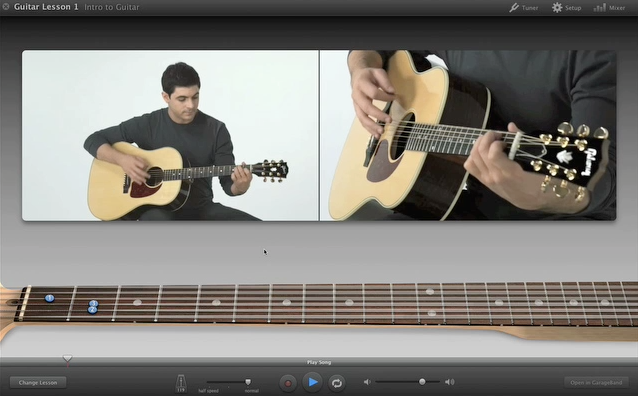
A recent Washington D.C. client wanted to learn how to play guitar and asked what the best software was for the job. The clear winner here is GarageBand on Mac OSX. It is part of iLife ’09 and included with all new Apple computers. GarageBand has a series of free lessons for guitar and keyboard/piano that go through all the basics (e.g., chords, strumming, etc.). After completing each lesson, you can play along with a song related to what you learned. You can easily repeat sections or slow down the music if you are having trouble playing at the pace of the teacher. If you’re like me an not particularly good, you can save yourself the embarrassment of practicing a chord change twenty times in front of a real teacher.
GarageBand

Learn from the Artist

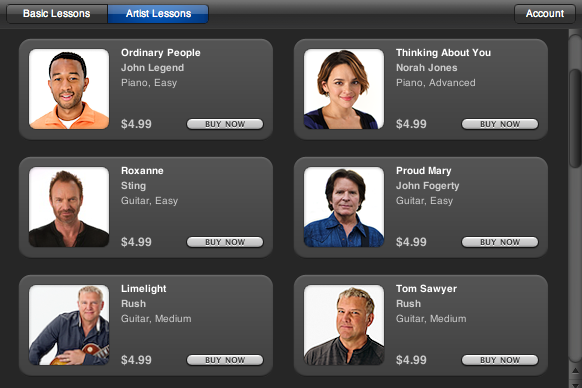
There are also Artist Lessons, costing $4.99 each to learn a song directly from the artist who wrote it. There are only 20 Artist Lessons currently available, but these include songs from Sting, Rush, Ben Folds, John Legend and many other popular names.

GarageBand Artist Lessons

Adding Music to iTunes from a USB drive

If you copy music into your iTunes library, there is a setting in iTunes that will make it easier to deal with your library.

Consolidate Library

Let’s take an example. By default, when you take MP3s on a USB drive and drag them into iTunes, the music will show up in iTunes. However, iTunes is still using the files that are located on your USB drive.  As soon as you remove the USB drive, those songs in the iTunes library will have an exclamation point next to them and not be playable.

The problem has to due with the “Consolidate Library” feature. Consolidating the library moves all your music that is in the iTunes library to the iTunes folder. This keeps everything together. Oddly, this feature is not on by default.

Solution

If you want to avoid this problem and keep iTunes organized automatically, go to:

For iTunes Windows: iTunes > Edit > Preferences > Advanced tab
For iTunes Mac: iTunes > Preferences > Advanced tab

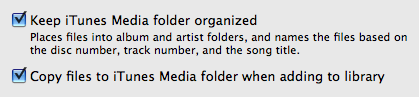
Make sure “Keep iTunes Music folder organized” is checked
Make sure “Copy files to iTunes Music folder when adding to library” is checked

iTunes Consolidate Library

Scroll to Top