
Scam

Groupon’s Microsoft Office Problem: When Marketplace Vetting Fails Consumers

A $32 “deal” raises serious questions about platform responsibility

When searching Google for discounted Microsoft Office licenses, Groupon appears near the top of results. The daily deals platform has become a major marketplace for software licenses through third-party sellers. But a recent purchase reveals a troubling gap in how Groupon vets what’s actually being sold on its platform.
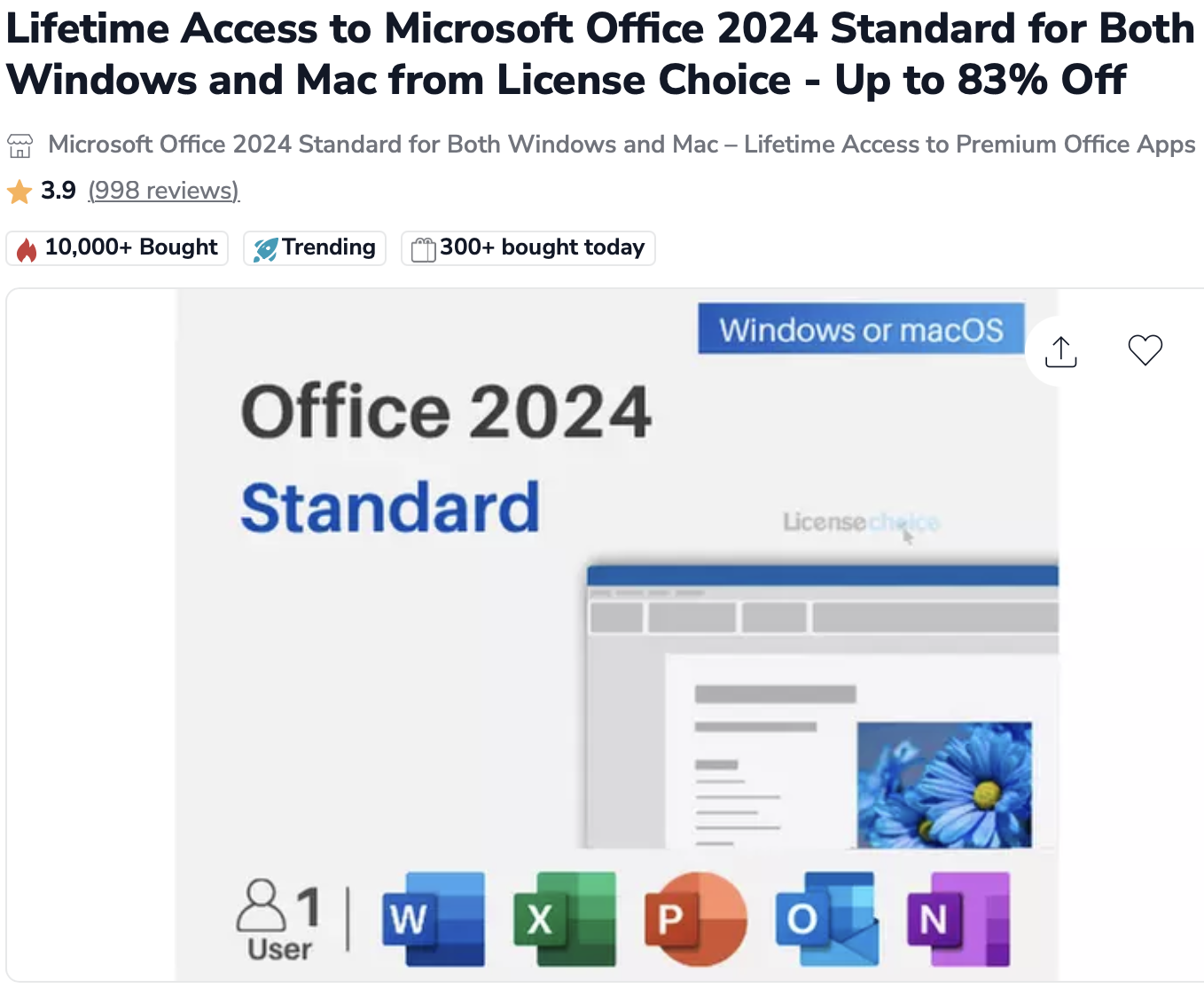
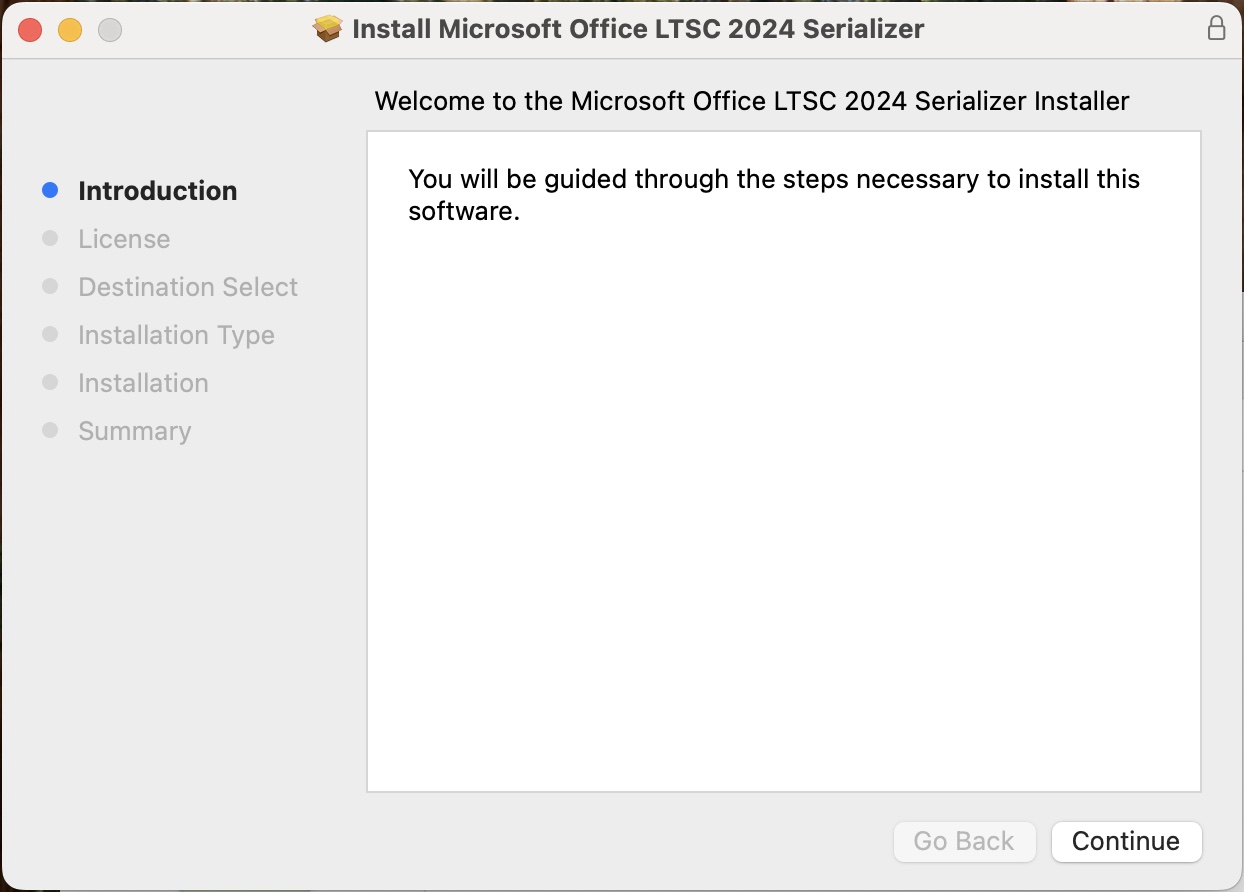
I recently witnessed someone purchase what was advertised as Microsoft Office 2024 through a third-party seller on Groupon for $32. What they received wasn’t a legitimate product key or license from Microsoft—the standard for legal Office purchases. Instead, the package included only an activator tool, commonly known as a “serializer.”
The Red Flags

Legitimate Microsoft Office purchases come with a product key and license agreement tied to your Microsoft account. What this buyer received was fundamentally different: software designed to bypass Microsoft’s activation system entirely. The price point—$32 for software that retails for hundreds of dollars—should have been the first warning sign.

Groupon’s Marketplace Responsibility

To be clear: Groupon didn’t create or directly sell this product. Like Amazon or eBay, Groupon operates as a marketplace platform where third-party sellers can list items. But unlike a neutral platform, Groupon actively promotes these deals, takes a commission on each sale, and presents them under the trusted Groupon brand.

This raises uncomfortable questions: What vetting process does Groupon use for software listings? How does a deal offering activation tools instead of legitimate licenses make it through their approval process? And why does Groupon rank so prominently in search results for consumers looking for legitimate Office licenses?

The Broader Issue

The grey and black markets for software keys are well-documented problems. Volume license keys, educational licenses, and cracked activation tools regularly appear on discount marketplaces. Microsoft has entire teams dedicated to combating software piracy, yet these questionable deals persist on major platforms.

When a platform like Groupon—with significant name recognition and consumer trust—hosts these sellers without apparent scrutiny, it lends legitimacy to transactions that may not deserve it. Consumers searching for deals have no easy way to distinguish between legitimate volume licensing resellers and sellers offering something else entirely.

What Consumers Should Know

If you’re considering buying discounted Microsoft Office:

  • Legitimate licenses come with product keys, not activation tools or “serializers”
  • Prices far below retail are a red flag – if Office 2024 retails for $250+, a $32 version deserves skepticism
  • Check the seller carefully – research the third-party vendor, not just the platform
  • Understand the difference between legitimate volume licensing resellers and grey market key sellers
  • When in doubt, buy directly from Microsoft or authorized retailers

The Bottom Line

Groupon profits from every transaction on its platform, including those from inadequately vetted third-party sellers. While the company may not be directly selling questionable software, it’s providing the storefront, the payment processing, and the veneer of legitimacy.

In an era where platform responsibility is under increasing scrutiny, marketplace operators can’t simply claim they’re neutral intermediaries. They have an obligation to ensure that what’s being sold under their brand meets basic standards of legitimacy—especially when it comes to software licensing.

Consumers deserve better. And platforms like Groupon should do better.

iOS 26 Call Features: Say Goodbye to Spam Calls and Hold Music

If you’re tired of spam calls interrupting your day and endless hold music draining your patience, iOS 26 has arrived with two game-changing features that transform how you handle phone calls. Apple’s latest update includes Call Screening and Hold Assist—tools designed to give you back control over your phone.

Call Screening: Your Personal Gatekeeper Against Scammers

Call Screening is iOS 26’s answer to the relentless wave of telemarketing and scam calls that plague smartphone users. Instead of your phone ringing every time an unknown number dials in, this feature creates a protective barrier between you and potential nuisances.

How It Works

When someone who’s not in your contacts calls, a Siri-style voice automatically answers and asks them to provide their name and reason for calling. The information is transcribed to text and shown to you, allowing you to decide whether to accept, decline, or ask for more information. The beauty of this system? You never have to engage directly with the caller unless you choose to.

For telemarketers and scammers, this creates an immediate obstacle. Robocalls and spam operations typically can’t interact with the screening prompts effectively, making this feature particularly powerful at filtering out unwanted calls.

Setting It Up

Call Screening isn’t enabled by default—you need to turn it on yourself. Here’s how:

  1. Update your iPhone to iOS 26 (available for iPhone 11 and newer models)
  2. Open Settings, then go to Apps
  3. Tap Phone
  4. Scroll to “Screen Unknown Callers”

You’ll see three options: “Never” (call screening off), “Ask Reason for Calling” (screening enabled), or “Silence” (unknown calls go straight to voicemail with transcription).

Screen Unknown Callers

Real-World Impact

The results can be dramatic. After leaving this on for a few days, my number of spam calls has dropped dramatically. The feature has been described as bringing “pure bliss” to iPhone users weary of constant interruptions.

Hold Assist: Never Wait on Hold Again

While Call Screening protects you from unwanted incoming calls, Hold Assist tackles the other phone frustration we all face: being stuck on hold with customer service.

How It Works

Hold Assist automatically kicks in when you’re placed on hold during a call. Your iPhone detects the hold music and offers to wait for you. If you accept, your phone monitors the line in the background while you go about your day. When a real human picks up, you receive a notification alerting you to return to the call.

Unlike Call Screening, Hold Assist requires no setup—it works automatically from the moment you install iOS 26, and it’s available on all devices that support the update, not just Apple Intelligence-enabled phones.

The Convenience Factor

This feature is especially valuable when dealing with airlines, insurance companies, or tech support lines where wait times can stretch into hours. Instead of sitting by your phone listening to elevator music, you can respond to emails, make dinner, or do literally anything else productive.

Privacy First

Both features process information on-device, meaning your privacy isn’t compromised by sending data to cloud services. Everything happens securely on your iPhone.

The Bottom Line

iOS 26’s calling features represent Apple’s most significant phone improvements in years. Call Screening helps you avoid distractions, protect your privacy, and filter out robocalls and scams before they ever reach you. Meanwhile, Hold Assist saves you countless hours of listening to repetitive hold music.

If you haven’t updated to iOS 26 yet and you’re constantly battling spam calls or lengthy customer service wait times, these features alone make the upgrade worthwhile. In an era where our phones do everything from AI assistance to mobile payments, it’s refreshing to see Apple innovating on the most fundamental function: actually making and receiving phone calls.

How To Spot Fake AirPods Pro 2

The latest AirPods Pro 2 fakes are quite convincing. But if you know what to look and listen for, you can spot them.

By going into the information screen of the AirPods Pro 2 (on iPhone, Settings – Bluetooth – “i”), you can run an Ear Tip Fit Test. This test will not run properly on fakes. It will run forever, not run at all, or glitch.

Sometimes fakes will have weird warranty information or show that they’ve been sent in for repair. This is because they use the same serial numbers as other fakes that have been brought in for repair.

The fakes sound tinnier and less full than real AirPods. While they will appear on the iPhone as having transparency and noise cancellation, these modes don’t really work well.

If you watch to the end of this video, you will see that the fake case can have the front cover pulled forward with a fingernail.

Stay alert and away from fakes. Save your money for real AirPods Pro, or buy a cheap no-name pair from Amazon.

Stolen Device Protection

Highly recommended: All iPhone users should turn on Stolen Device Protection. This will help against someone “shoulder surfing“ you and then stealing your phone and taking all your money.

As explained by Apple, you can turn on Stolen Device Protection in Settings:

  1. Go to Settings, then tap Face ID & Passcode.
  2. Enter your device passcode.
  3. Tap to turn Stolen Device Protection on or off. 

Preparing for Theft

Unfortunately, I’ve had several clients who have been robbed. The most recent was when a laptop was stolen from a car. There are some actions that you can take to avoid the worst outcomes if a theft does happen.

  1. Set Up Passwords:
    • Use strong, unique passwords or passcodes for both your device and your accounts.
    • Enable biometric authentication methods like fingerprint or facial recognition if available.
  2. Enable Remote Tracking and Wiping:
    • For smartphones, enable features like Find My iPhone (iOS) or Find My Device (Android). For laptops, use tracking software like Find My Mac (Apple) or Find My Device (Windows).
    • Set up remote wipe options to erase your data if the device is lost or stolen.
  3. Backup Your Data:
    • Regularly back up your device’s data to an external drive or a cloud service. This ensures you can recover your important files even if the device is stolen. Both Apple and Microsoft offer cloud backup services.
  4. Protect your Passwords
    • Especially important today, don’t let people see you type your phone or laptop login password. This “shoulder surfing” is now common before a theft. Once people can log in, they can change your password and actually lock you out of your accounts.

Scroll to Top