Dropbox is one of my favorite tools to help small businesses in the D.C. area share files on the cheap.
Dropbox Wiki Info
Besides simply sharing files with your friends, office co-workers, or just your other computers, there are lots of other uses.
See the Tips and Tricks page and Dropbox Add-on page on the Dropbox Wiki explaining things such as:
- Automatically updating a website
- Syncing other folders – bookmarks, games, USB flash drives, passwords
- Setting up multiple instances of Dropbox on one Mac or Linux computer

- Setting up multiple instances of Dropbox on Windows with Dropboxen

Other Dropbox Tips and Tricks
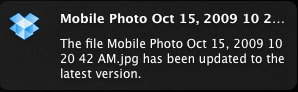
- See any updates that occur to your Dropbox files with the free Growl (Mac) program. Dropbox for Windows does this through the Dropbox System Tray Icon. This is especially useful if you are sharing folders and need to be notified when there are new files.
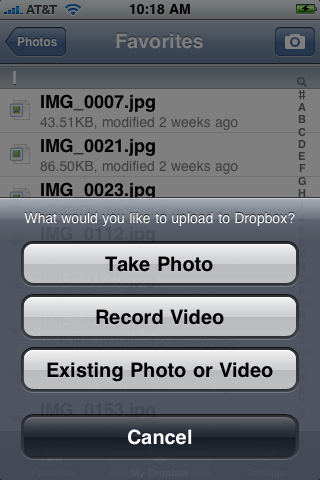
- Automatically make web photo galleries by moving pictures to the Dropbox Photos directory either from a computer or using the free iPhone Dropbox App.
- Use a Dropbox Add-on that allows you to quickly move a file to a public folder and place the URL the clipboard. This makes sending people a file super easy.
- Change shared folder names. For example, I share a folder with Joe that I name “Joe”. Joe can accept to join that folder and then rename the folder “Rick” so that it makes more sense for him. The great thing here is that the folder is still named “Joe” for me. Alternatively, I can share a folder with Joe that I have named “Rick” and then rename it to “Joe” once he has joined that folder. On Windows machines, renaming a shared folder has sometimes caused me to leave a shared folder. To get around that quirk, rename a shared folder from the Dropbox website.
- Move shared folders. You can move shared folders, for example, to a directory named “Shared” or “Work”. This does not affect any of the shared users.
Sign Up Referrals
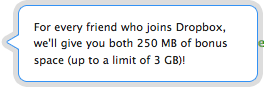 Dropbox is free for 2GB of space. See their pricing for more space. One of the reasons that Dropbox has quickly grown in popularity is their referral program. Once you sign up, you can invite others and get 250MB of extra space for everyone you sign up. On that note, please use my Dropbox referral when signing up for Dropbox to give both of us an extra 250MB of space.